# Backup Automation Server
The Workstation software has manual configuration backup fonctionnality for all servers (Entreprise Server and Automation Server). These backups can be restored in the same way.
# Backup
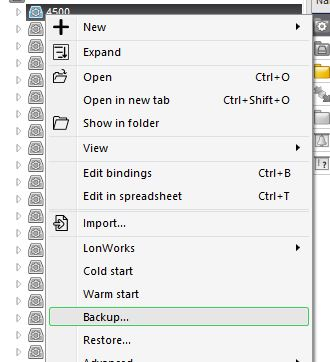
- Select with right click a server, then select Backup...
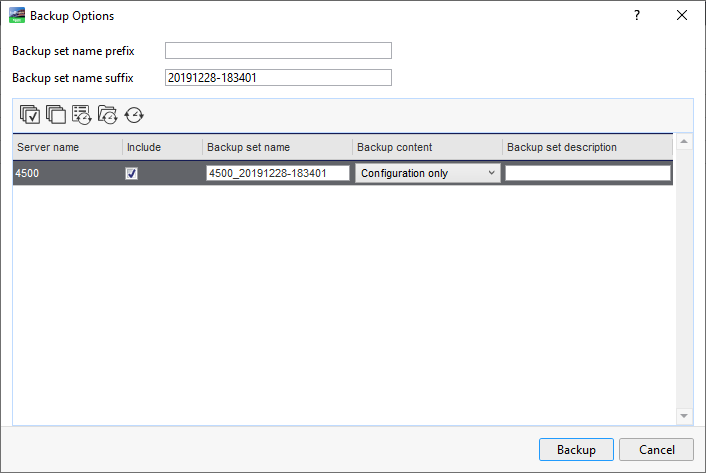
- In Backup Options, keep Configuration only et validate with Backup. The backup will be performed in the background to be retrieved later.
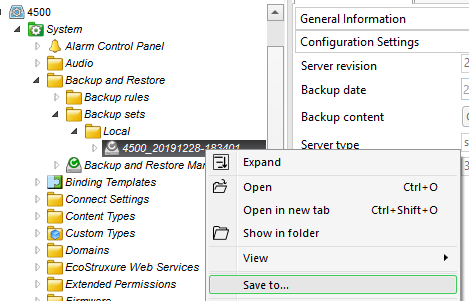
- For saving backup locally, scroll down the tree as this Server_Name > System > Backup and Restore > Backup sets > Local
- As soon as the background task is finished, the backup will be available in Local
- Right click on the file, a saving window allow to save the file to your host.
# Restore
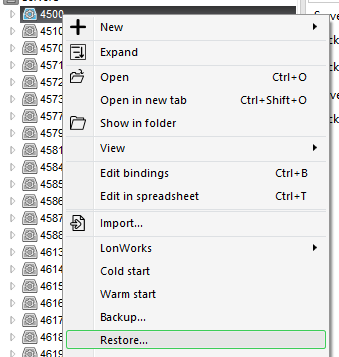
- Right click on selected server, then select Restore...
- Click on Import Backup Set for searching and select the backup file to restore from your host
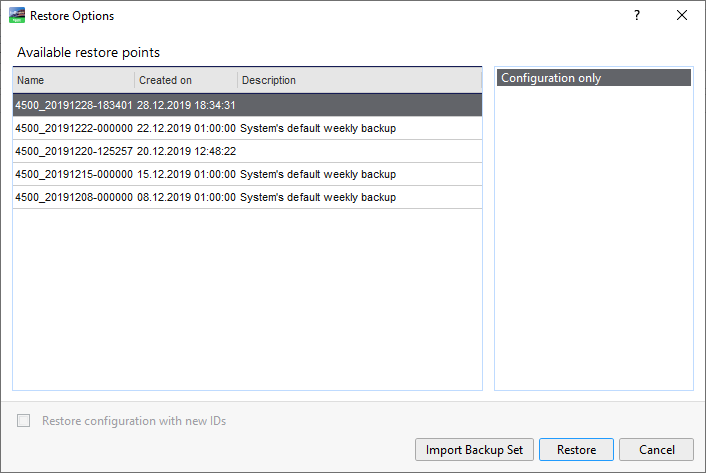
- Validate by OK to remplace existing backups

- The backup set appears in Available restore points window, select this and press Restore
- The operation in complete and the workstation session rebooting