comonway docs
Home
Guide
Cookbook
#
Activate Windows 10 Autologon
Open
Run
, enter
Netplwiz
and validate
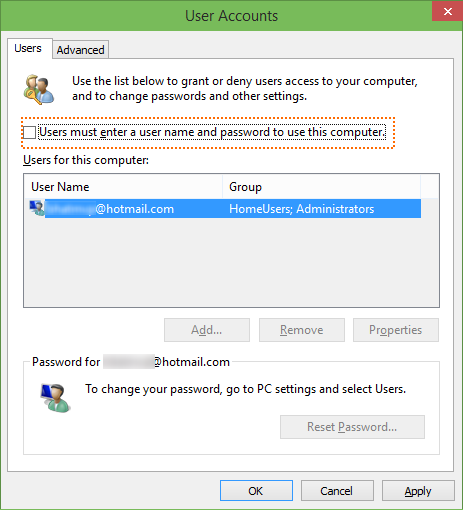
Uncheck
Users must enter a user name and password to use this computer
and validate with Apply or OK
Enter administror username and password
Validate with
OK